> For the complete documentation index, see [llms.txt](https://docs.livecaller.io/livecaller/llms.txt). Markdown versions of documentation pages are available by appending `.md` to page URLs; this page is available as [Markdown](https://docs.livecaller.io/livecaller/services/chatbot.md).
# Chatbot
The **chatbot** is currently available **only for Premium users**. If you have any questions, please contact us by **email**.
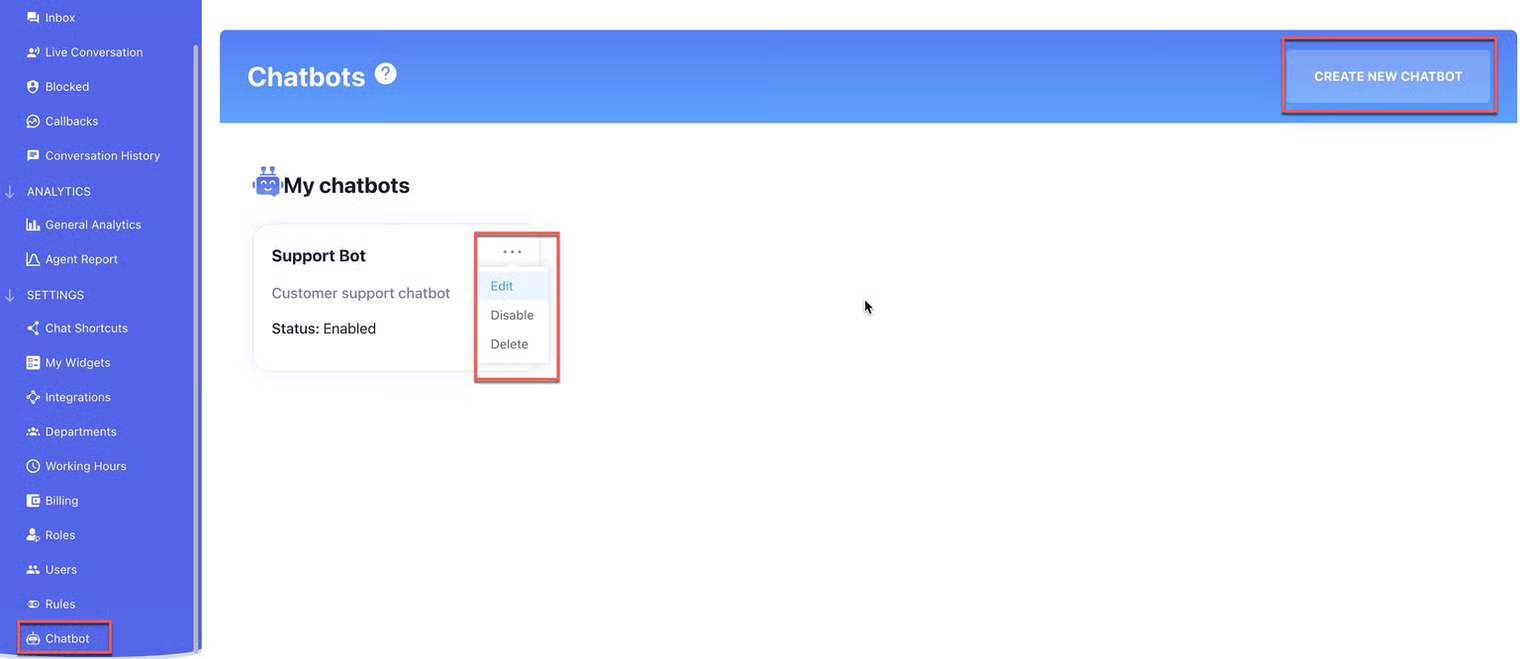
* Go to the **chatbot page** and create a **new chatbot**.
* After creating the bot, you can **edit, delete, or enable/disable** it if needed.
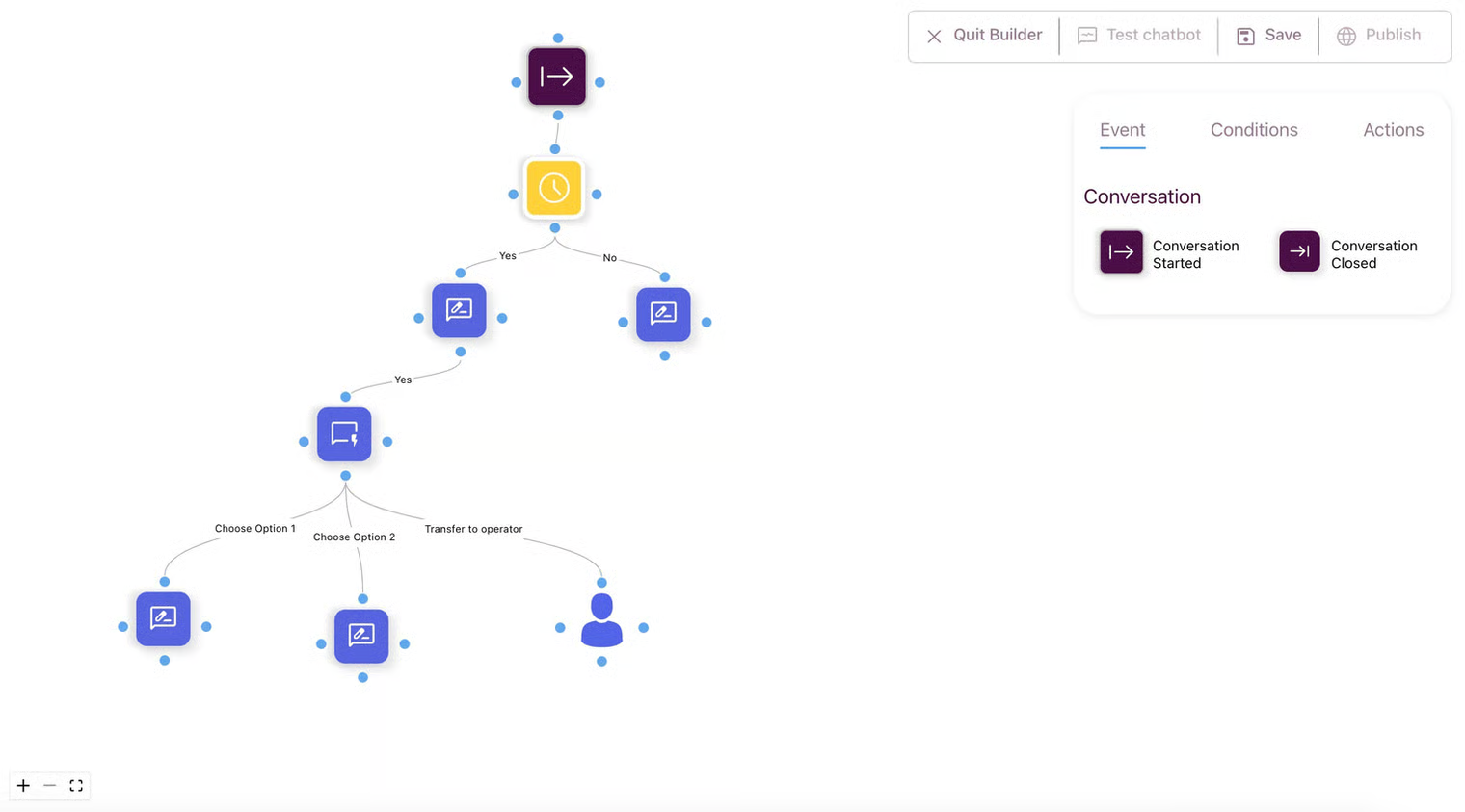
**Chatbot Configuration Grid**\
The bot flow consists of **three interconnected node types**, which create a sequential and structured interaction path:
* **Event** – defines **when the chatbot should start**.
* **Condition** – evaluates **whether certain criteria are met**.
* **Action** – represents **a step or task that the chatbot performs**.