> For the complete documentation index, see [llms.txt](https://docs.livecaller.io/livecaller/llms.txt). Markdown versions of documentation pages are available by appending `.md` to page URLs; this page is available as [Markdown](https://docs.livecaller.io/livecaller/services/integrations/email.md).
# Email
Connect your email to LiveCaller.
**Inbound Configuration:**
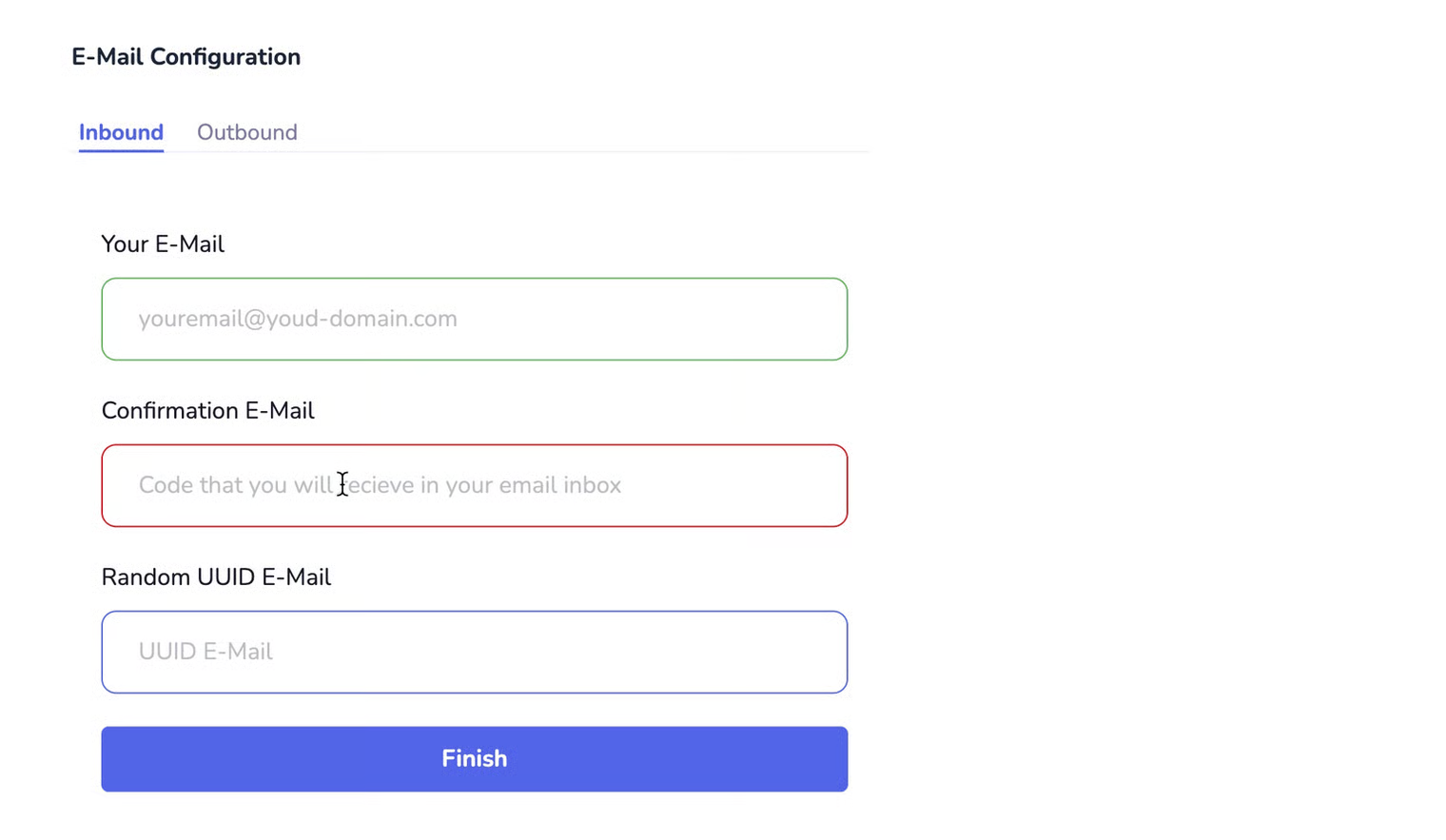
Set up your email address for ownership verification, from which you will receive a confirmation code. After that, a random email address will be generated, and you need to enable forwarding from your main mailbox to the randomly generated UUID email address at **livecaller.email**. Once forwarding is configured, you will receive emails in chat format directly in your LiveCaller inbox.
You can learn how to enable forwarding in Gmail from this link: [**Gmail Forwarding Setup**](https://support.google.com/mail/answer/10957?hl=en)
**Outbound Configuration:**
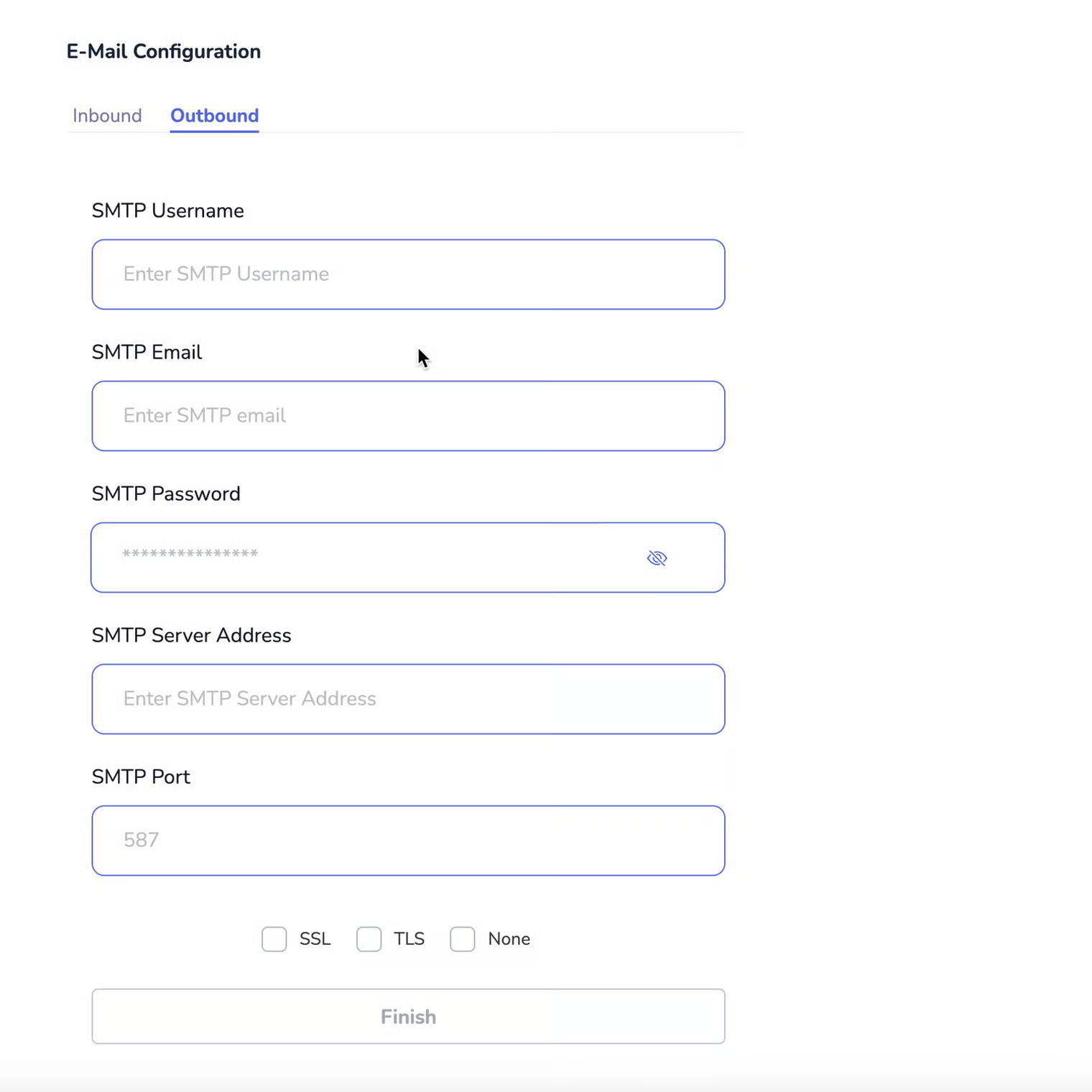
To send emails, you need SMTP credentials, which you can obtain through services such as AWS SES, Mailgun, SendGrid, or others.