> For the complete documentation index, see [llms.txt](https://docs.livecaller.io/livecaller/llms.txt). Markdown versions of documentation pages are available by appending `.md` to page URLs; this page is available as [Markdown](https://docs.livecaller.io/livecaller/widget-management/multilingual-translation.md).
# Multilingual Translation
The LiveCaller widget supports 34 languages from different countries:
```
🇸🇦-Arabic-اَلْعَرَبِيَّة-ar
🇦🇲-Armenian-հայերեն-hy
🇦🇿-Azerbaijani-Azərbaycan-az
🇧🇩-Bengali-বাংলা-bn
🇧🇷-Portuguese(Brazil)-Português-pt-br
🇨🇳-Chinese-中文-zh
🇨🇿-Czech-čeština-cs
🇩🇰-Danish-dansk-da
🇺🇸-English-en
🇪🇪-Estonian-eesti-et
🇫🇷-French-français-fr
🇬🇪-Georgian-ქართული-ka
🇩🇪-German-Deutsch-de
🇬🇷-Greek-ελληνικά-el
🇭🇺-Hungarian-magyar-hu
🇮🇳-Hindi-हिन्दी-hi
🇮🇩-Indonesian-id
🇮🇷-Persian-فارسی-fa
🇮🇱-Hebrew-עִבְרִית-he
🇮🇹-Italian-italiano-it
🇯🇵-Japanese-日本語-ja
🇳🇱-Dutch-nl
🇳🇴-Norwegian-norsk-no
🇵🇰-Urdu-اردو-ur
🇵🇱-Polish-polski-pl
🇵🇹-Portuguese(Portugal)-Português-pt
🇷🇴-Romanian-românește-ro
🇷🇺-Russian-русский-ru
🇪🇸-Spanish-español-es
🇸🇪-Swedish-Svenska-sv
🇹🇷-Turkish-Türkçe-tr
🇺🇦-Ukrainian-украї́нська-uk
🇺🇿-Uzbek-Ўзбекча-uz
🇻🇳-Vietnamese-Việt-vi
```
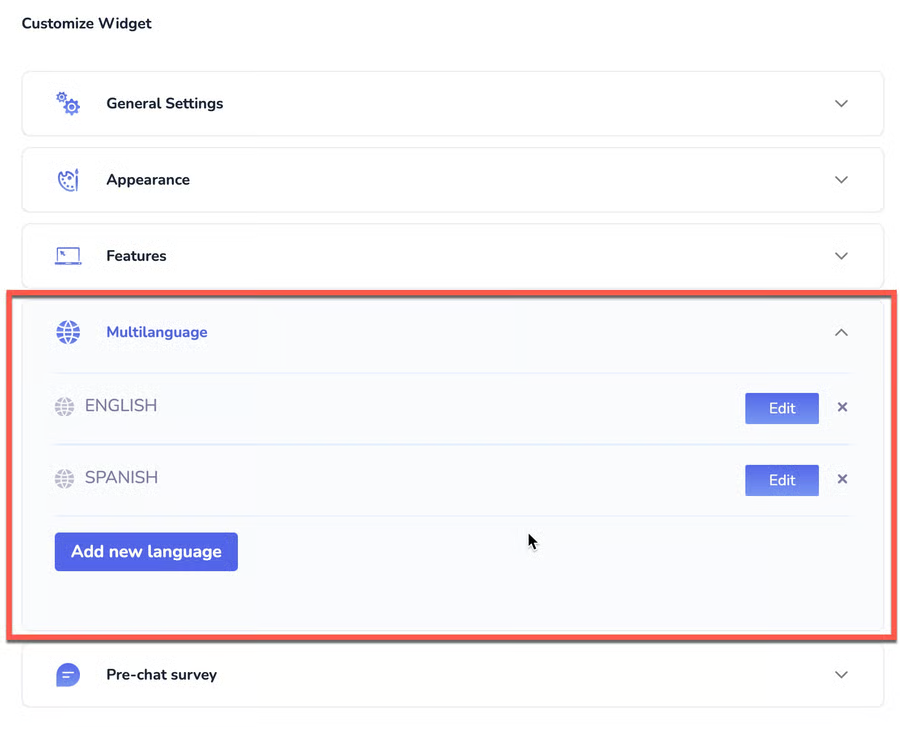
* If you want to add a language to the widget, go to the **My Widgets** page, select **Multilanguage**, and click **Add New Language**.
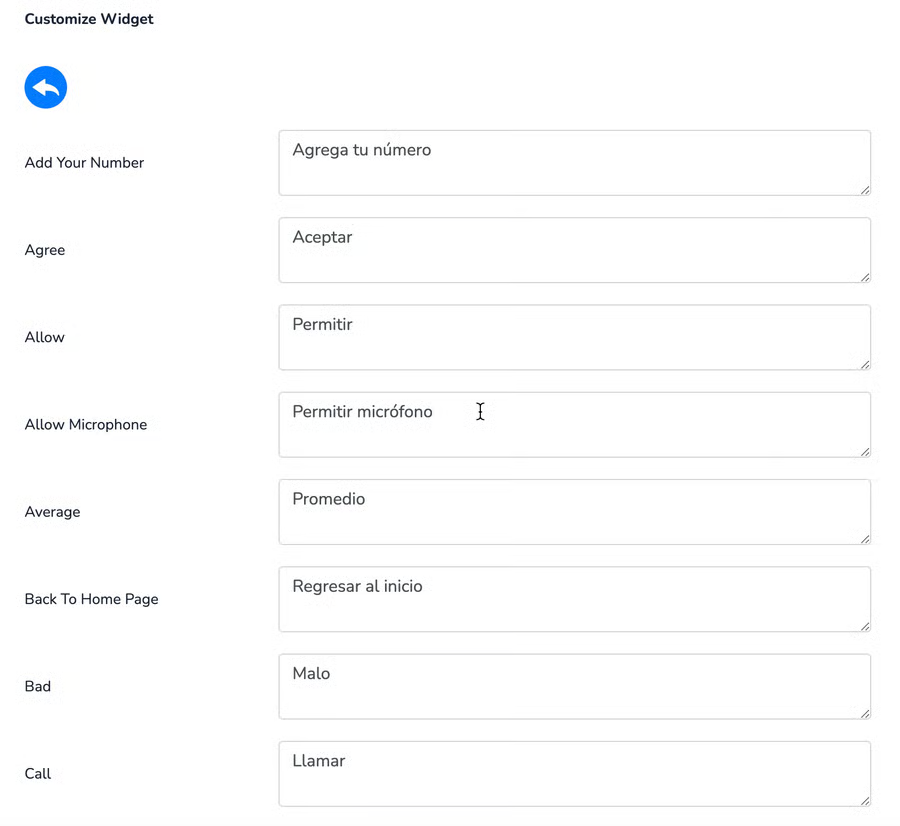
* You can configure the translated texts for each language by clicking the **Edit** button.
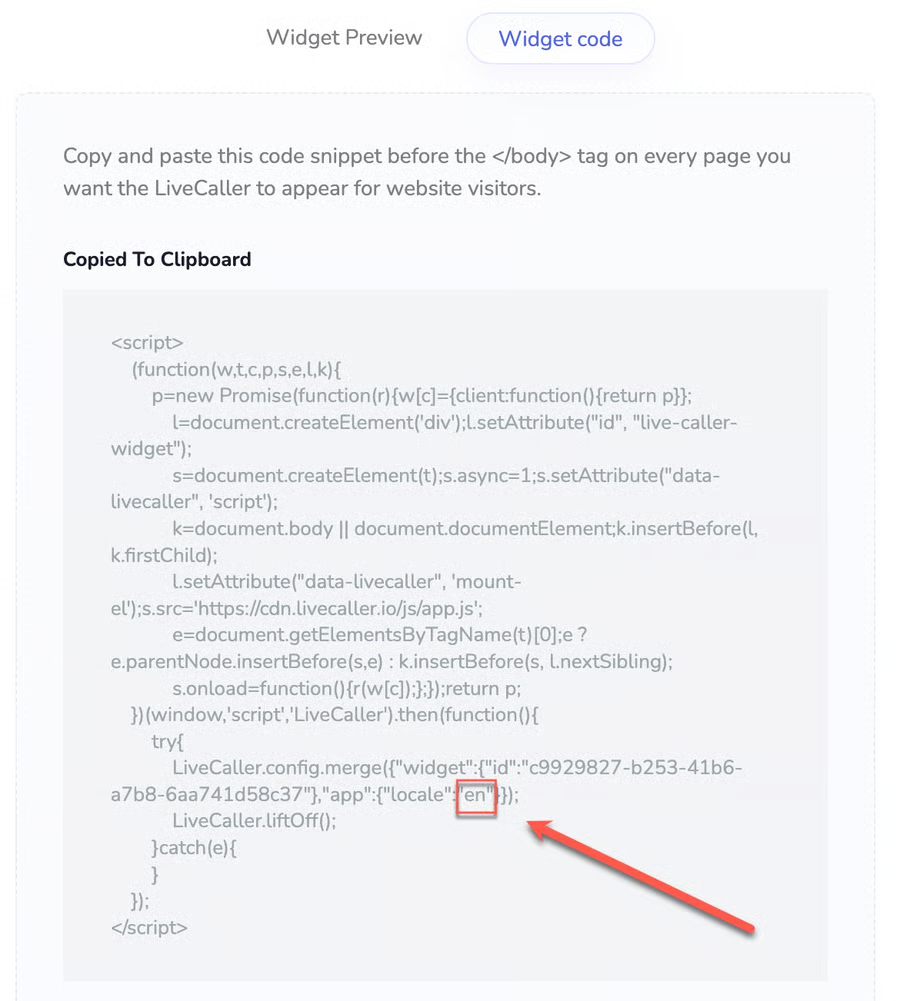
* Correct the language code according to your language. For example, if you want to change the widget language from English (en) to Spanish (es), replace **en** with **es** in the widget code.
{% hint style="info" %}
For language codes, refer to the list of countries above.\
For example:
* Spanish – **es**
* French – **fr**
* Italian – **it**
* Portuguese (Brazil) – **pt-br**, and others.
{% endhint %}
* If your website is multilingual, you can use the JavaScript code below to dynamically change the widget’s language.
{% hint style="info" %}
Change the language **before the widget loads**.
{% endhint %}
```
LiveCaller.config.merge({app: {locale: 'en'}});
```
{% hint style="info" %}
გაანახლეთ ენა უკვე Loaded ვიჯეტში
{% endhint %}
```
LiveCaller.$emit('app.locale.update', 'en');
```