> For the complete documentation index, see [llms.txt](https://docs.livecaller.io/livecaller/llms.txt). Markdown versions of documentation pages are available by appending `.md` to page URLs; this page is available as [Markdown](https://docs.livecaller.io/livecaller/widget-management/pre-chat-survey.md).
# Pre-chat Survey
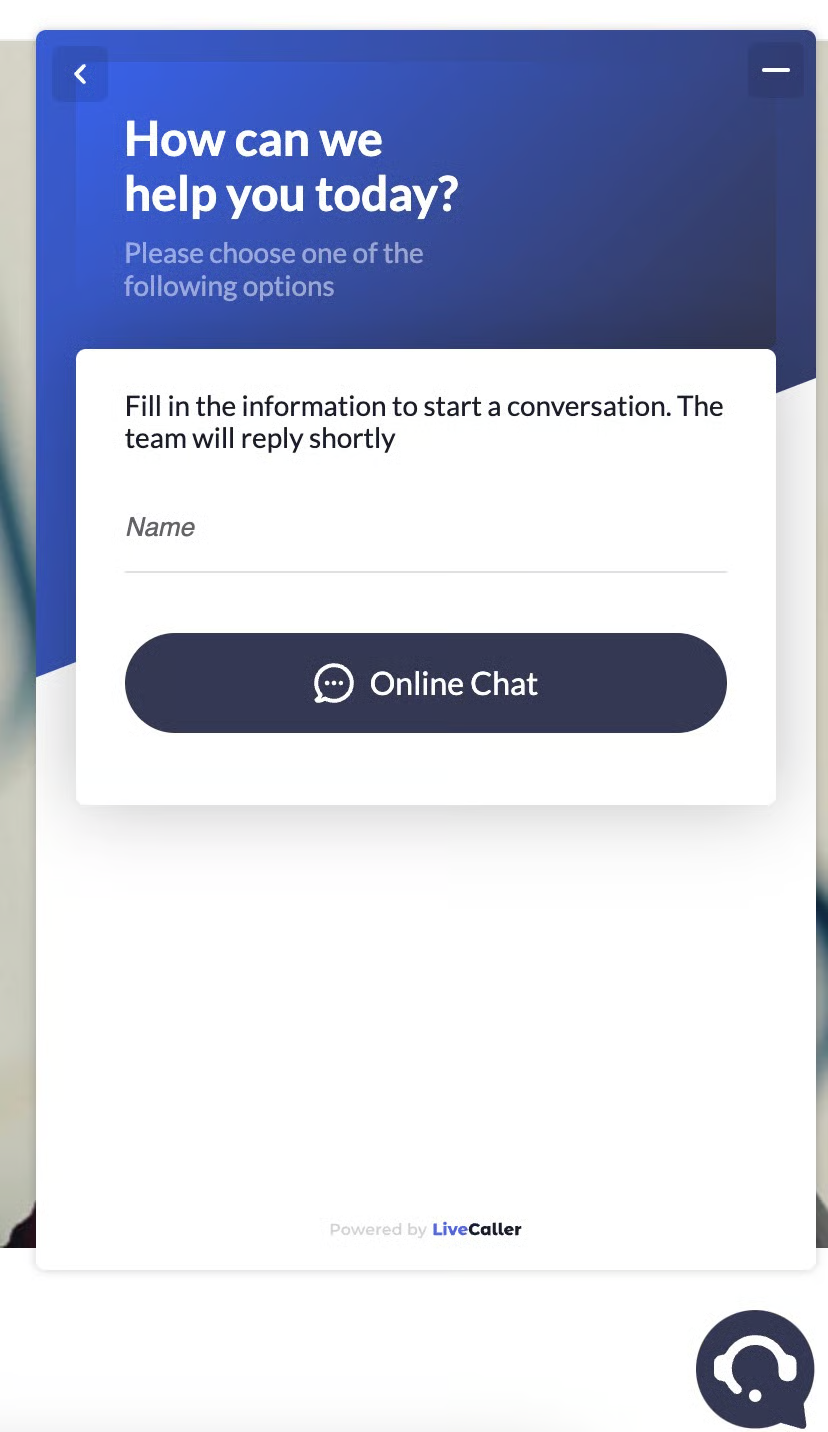
It is used to collect user information before starting the chat.
The **Pre-chat Survey** is used to collect user information before they start a chat session with a customer service agent. Typically, it consists of several questions presented to the user before the chat begins. Questions may include the user’s name, email, and other relevant data. The purpose of the pre-chat survey is to gather information that can be used to personalize customer service and improve overall user engagement.
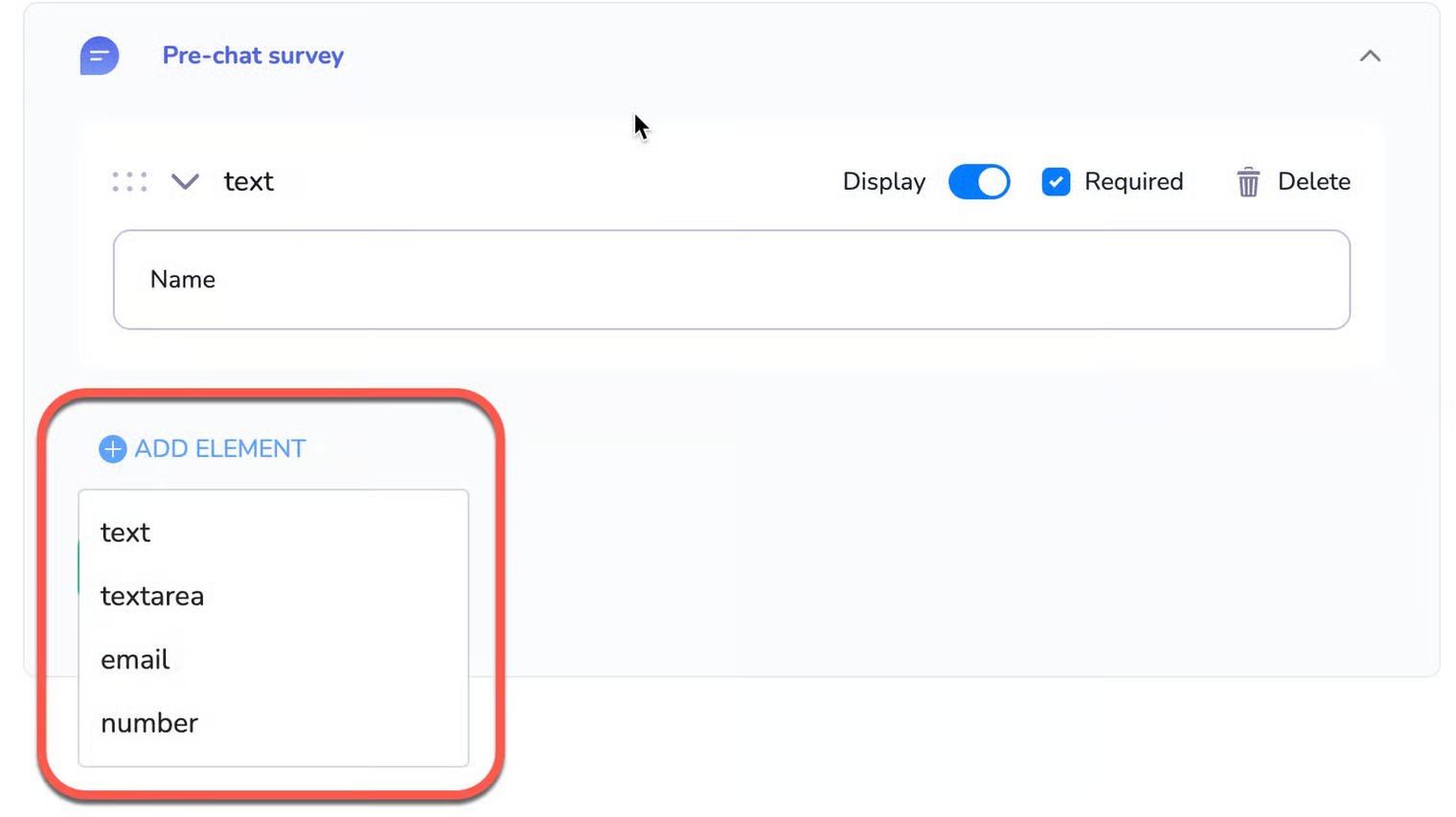
**Input Types:**
* **text** – Used to collect short text from visitors, e.g., first name, last name.
* **textarea** – Used to collect longer text from visitors, e.g., descriptions, comments.
* **email** – Used to collect the visitor’s email address.
* **number** – Used to collect numerical data, e.g., mobile numbers, ID numbers, or codes.
{% columns %}
{% column %}
{% endcolumn %}
{% column %}
{% endcolumn %}
{% endcolumns %}
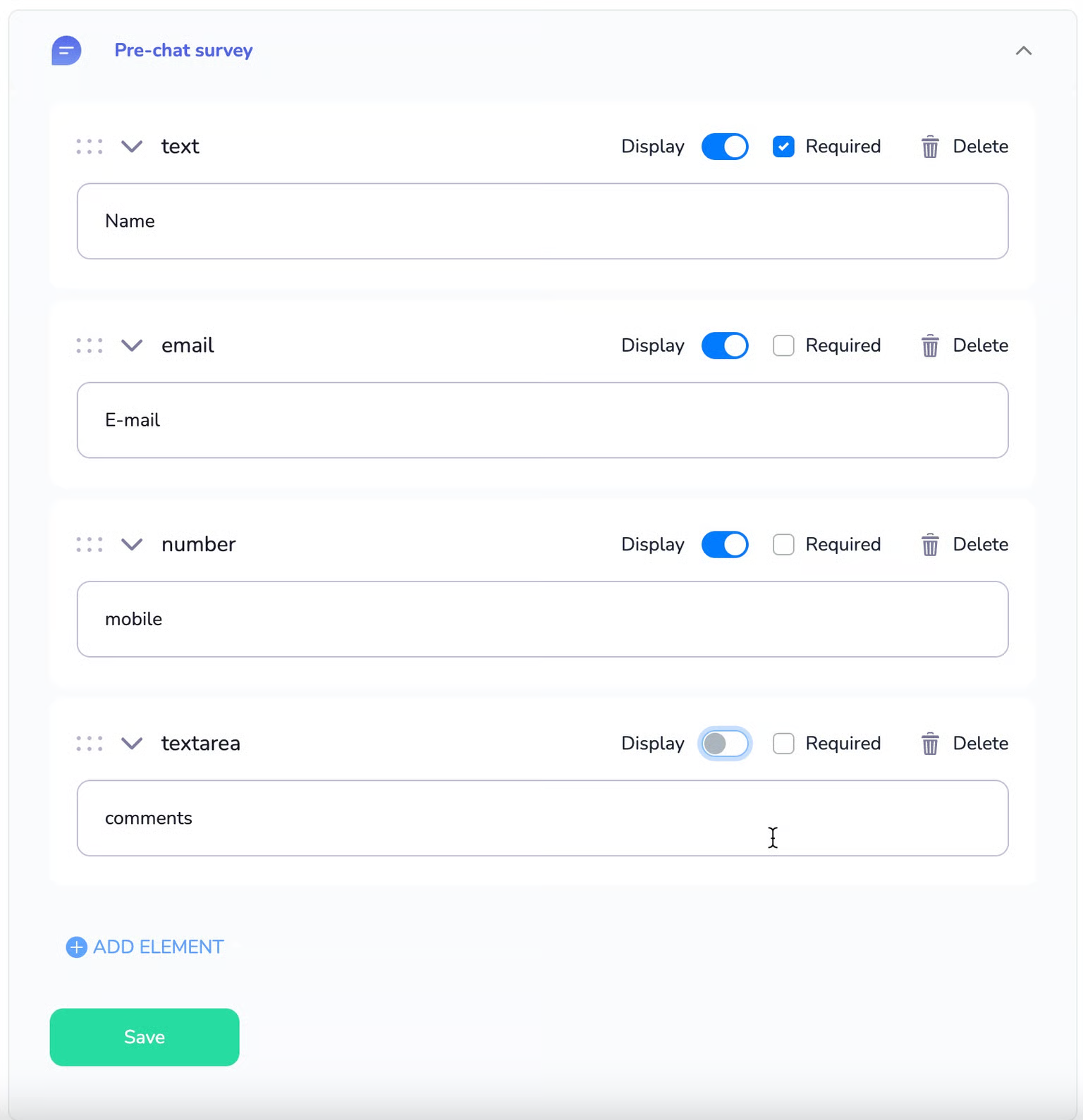
* **Display** – This field must be enabled for the visitor to enter data.
* **Required** – Activating this checkbox makes the field mandatory, meaning the visitor cannot start the chat without filling it in.
* **Delete** – Use with caution, as the field and its associated data will be deleted. It is important not to delete a field if you have already started collecting real user data, as this will result in data loss.
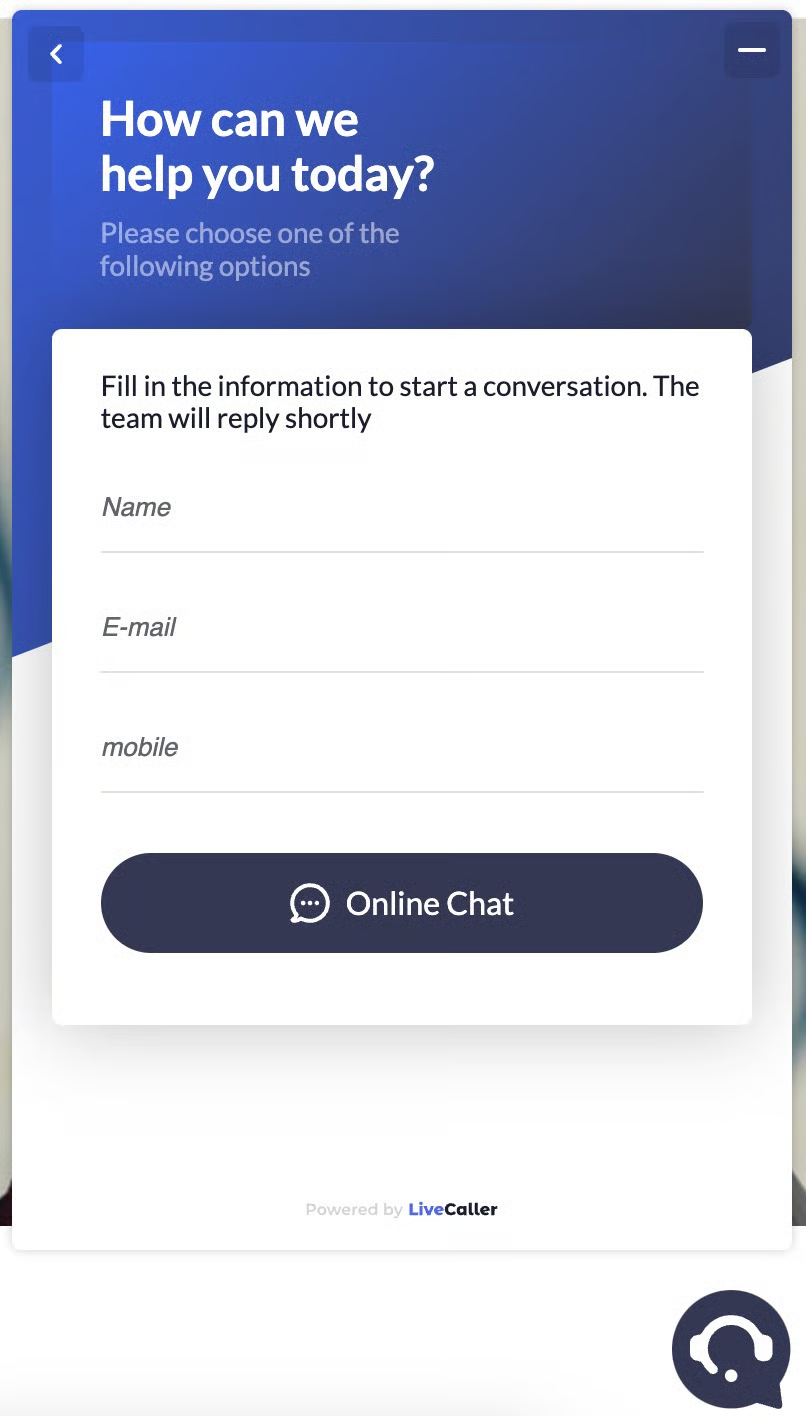
You can add multiple fields and show or hide them based on the information you want to collect from visitors.
{% columns %}
{% column %}
{% endcolumn %}
{% column %}
{% endcolumn %}
{% endcolumns %}