> For the complete documentation index, see [llms.txt](https://docs.livecaller.io/livecaller/llms.txt). Markdown versions of documentation pages are available by appending `.md` to page URLs; this page is available as [Markdown](https://docs.livecaller.io/livecaller/services/ai-assistant/ai-interactions.md).
# AI Interactions
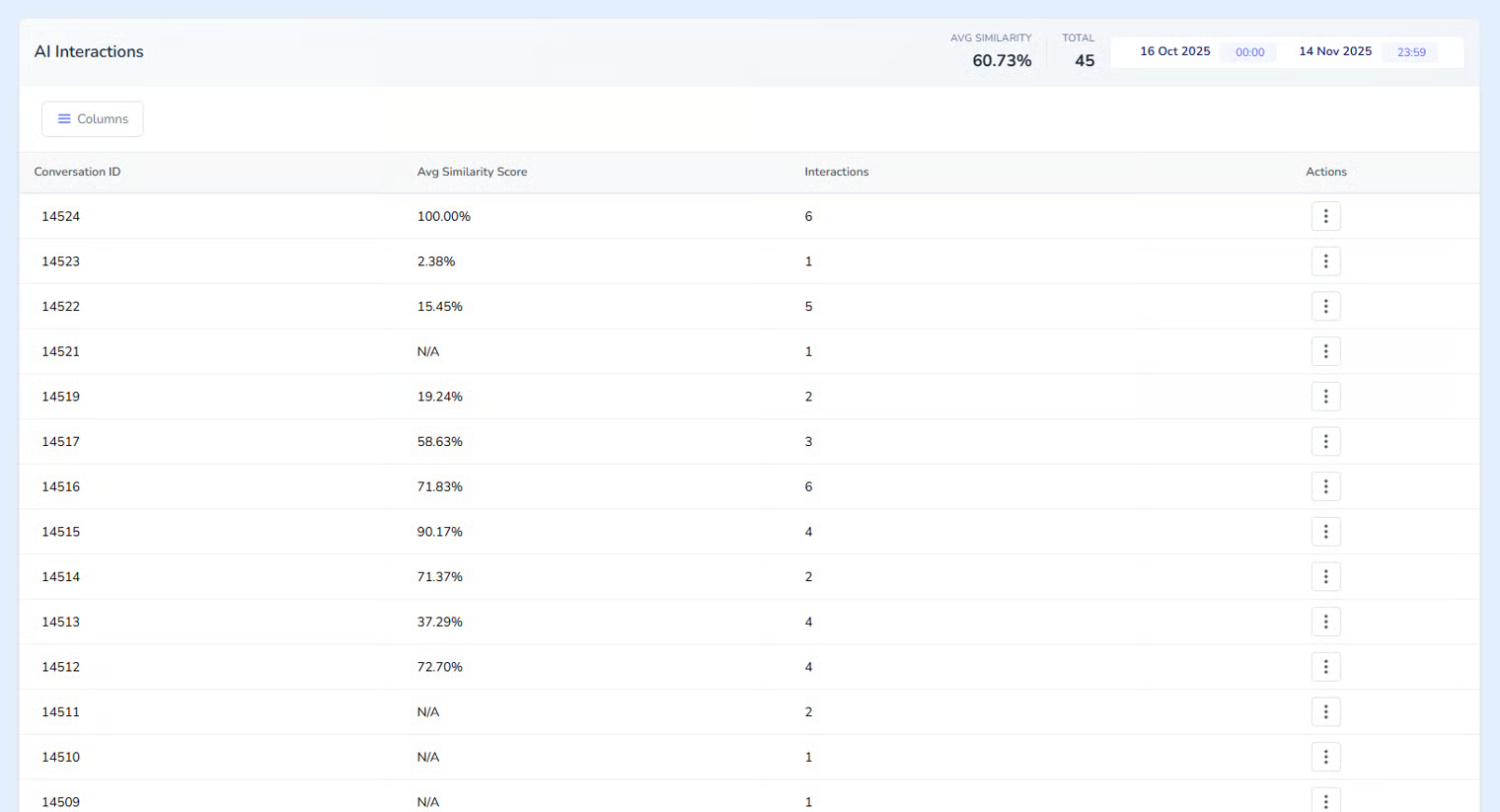
**AI Interaction** is a system used to evaluate and monitor how effectively the AI assistant embedded in the chatbot is working. The project uses two different types of AI assistants:
* **Automatic AI Assistant** – Responds to the user directly without operator intervention.
* **Supportive AI Assistant** – Provides recommendations to the operator on how to respond to the user.
The goal of AI Interaction is to show companies how well the AI performs and how useful it can be for their operators.
The system uses two algorithms, **Jaccard** and **Levenshtein**. These algorithms are used to calculate our **“Similarity Score,”** which helps us understand how accurate the AI Assistant’s recommendations are. (This evaluation is expressed as a percentage.)
{% hint style="info" %}
**Algorithms**
**Jaccard:**\
Measures how many elements two texts share compared to the total.
* Example:\
A = {a, b, c}\
B = {b, c, d}\
Shared = 2 / Total = 4 → 50% similar
**Levenshtein:**\
Measures how many edits/changes are needed to transform one word into another.
* Example:\
“cat” → “cut”\
1 letter change → the words are similar
{% endhint %}
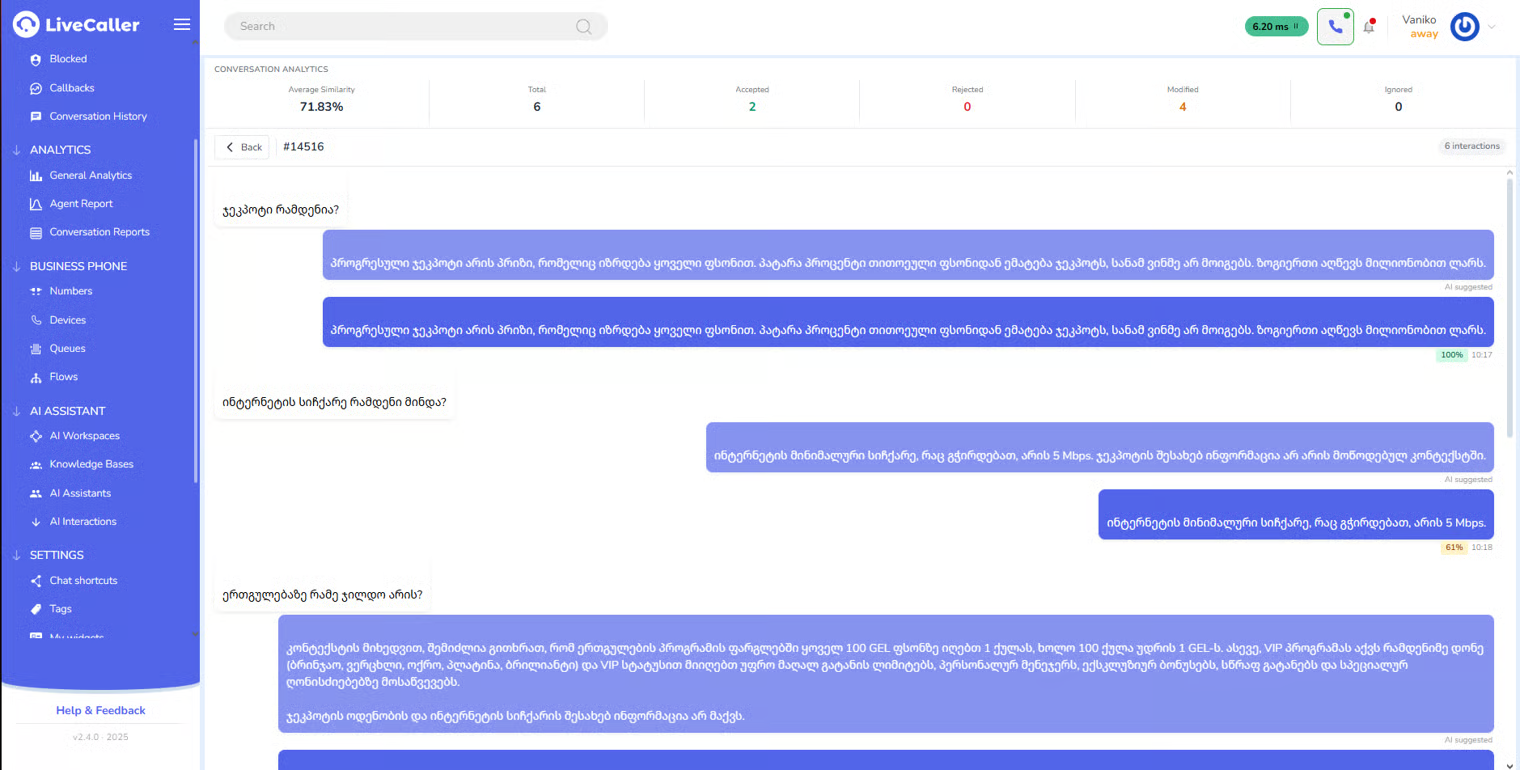
On the **AI Interaction** page, we can also access the history of each chat and view detailed information on how the operator used the AI Assistant.
**Rejected** – If the operator does not use the AI-suggested response at all, the recommendation is considered rejected.\
**Modified** – If the operator partially changes the AI-suggested text, the system considers this a partial use of the recommendation.\
**Accepted** – If the operator sends the text without any changes, it means the AI response was fully accepted and sent with 100% accuracy.
**AI Interaction** provides the company with a clear view of how often and how effectively the AI assists operators, giving important insights into the assistant’s quality and reliability.